
Zoho Inventory Management Software becomes harder as a business grows. More products, sales channels, warehouses, suppliers, and customer orders can quickly turn simple stock tracking into a complex process. Zoho Inventory Management Software helps businesses bring these activities into one connected system, making it easier to track stock, manage orders, control warehouses, handle purchasing, and improve fulfillment.
But what makes Zoho Inventory Management Software different from a basic stock management tool? Its value comes from connecting inventory operations with purchasing, sales, warehousing, shipping, accounting, and other business applications. This gives teams better visibility and reduces the manual work involved in managing stock.
In this guide, we explore the major Zoho Inventory features, their practical benefits, and how businesses can use the platform to build a more reliable inventory management solution. For a deeper overview of the platform, explore Zentegra’s complete guide to Zoho Inventory management.
What Is Zoho Inventory Management Software?
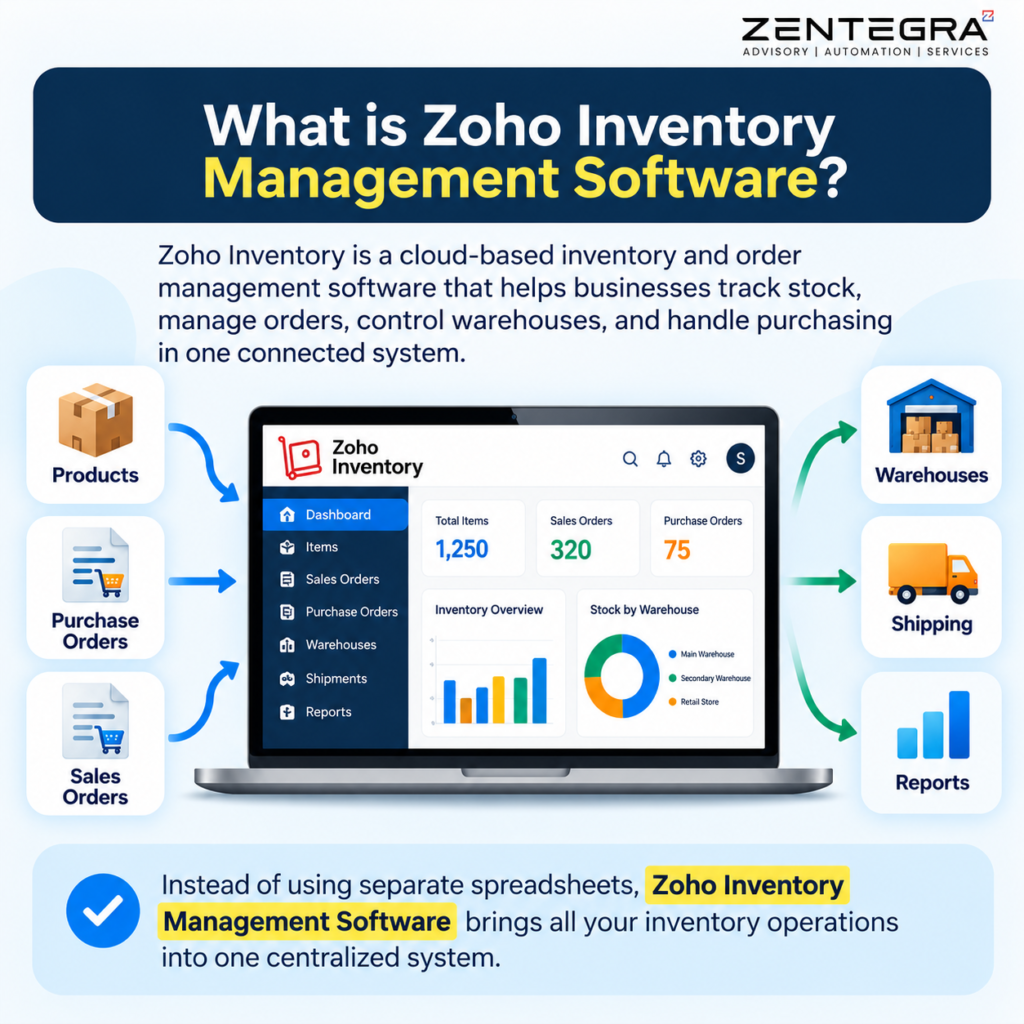
Zoho Inventory is a cloud-based inventory and order management platform designed to help businesses control their stock and fulfillment processes.
Instead of maintaining separate spreadsheets for products, purchase orders, sales orders, warehouses, and shipments, businesses can manage these processes through a centralized system.
The platform supports activities such as:
- Inventory tracking
- Purchase order management
- Sales order management
- Multi-warehouse management
- Barcode and QR code scanning
- Serial and batch tracking
- Replenishment and reorder management
- Packaging and shipping
- Multichannel selling
- Invoicing
- Inventory reporting
- Business integrations
This makes it useful for retailers, wholesalers, distributors, ecommerce businesses, and other companies that manage physical products.
Key Zoho Inventory Features
The strength of Zoho Inventory comes from the way its individual tools work together. You can explore the full range of Zoho Inventory features before looking at the most useful capabilities for day-to-day inventory operations.
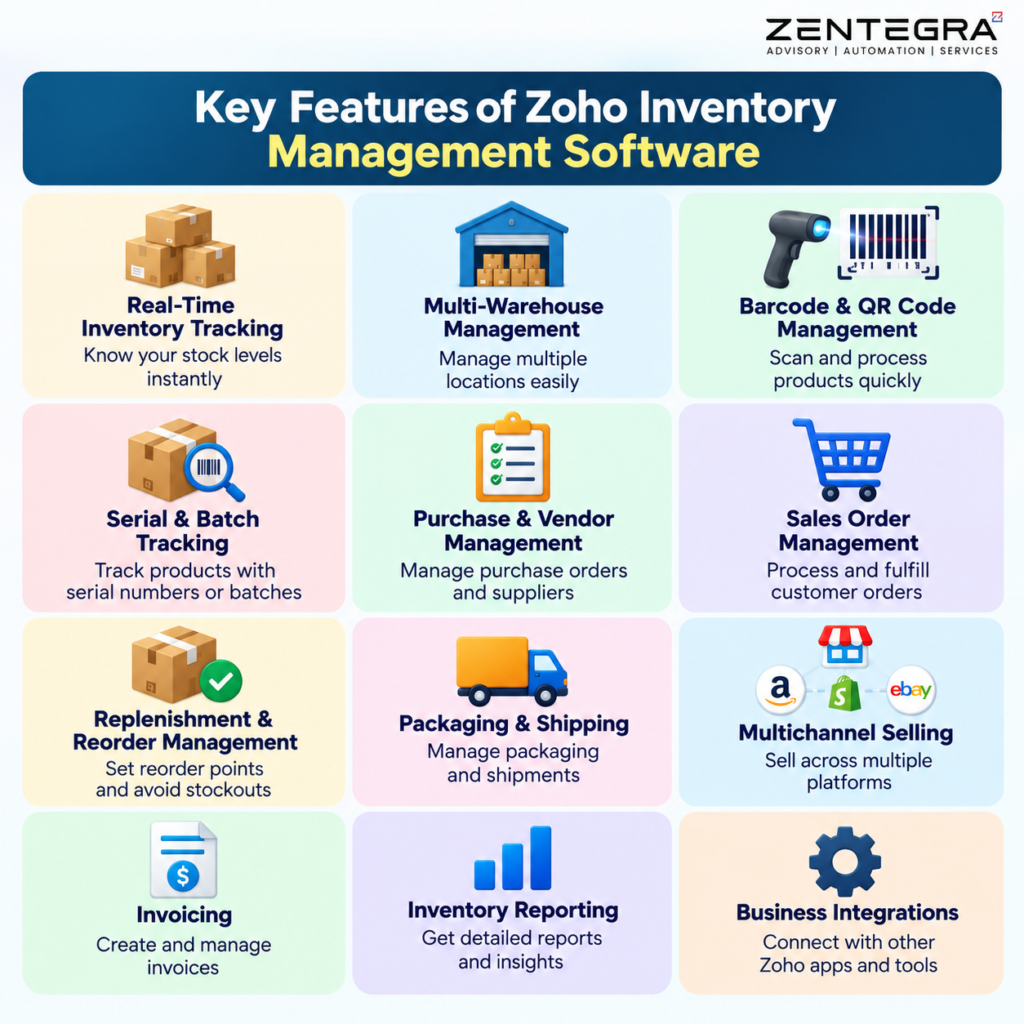
1. Real-Time Inventory Tracking
Knowing how much stock you have is only useful when the information is accurate.
Zoho Inventory Management Software helps businesses track stock movements as products are purchased, received, sold, transferred, or returned. Teams can get a clearer picture of available, committed, and incoming stock.
This visibility helps businesses make better purchasing decisions and reduces the risk of relying on outdated spreadsheet data.
2. Multi-Warehouse Management
Managing several warehouses can become complicated when each location uses separate records.
Zoho Inventory allows businesses to manage multiple warehouse locations from one system. Teams can monitor stock by location and move products between warehouses using transfer orders.
This is particularly useful for growing companies that operate regional warehouses, distribution centers, retail locations, or fulfillment facilities. Businesses managing online sales and multiple storage locations can also learn more about inventory management for eCommerce and multi-warehouse operations.
Better warehouse visibility also helps businesses decide where an order should be fulfilled based on available stock.
3. Barcode and QR Code Management
Manual product entry can slow down warehouse operations and increase the chance of mistakes.
Zoho Inventory Management Software supports barcode and QR code generation and scanning, helping warehouse teams identify and process products more efficiently. Businesses can use identifiers such as SKUs, EANs, UPCs, serial numbers, and batch numbers when generating labels.
Warehouse teams can scan products during activities such as receiving, picking, and order processing.
For businesses handling hundreds or thousands of products, barcode-based workflows can make stock operations faster and more consistent.
4. Serial and Batch Tracking
Some products require detailed traceability.
For example, electronics may need serial-number tracking, while food, pharmaceutical, cosmetic, or other time-sensitive products may require batch tracking.
Zoho Inventory supports both serial-number and batch tracking. Businesses can follow individual products or groups of products through their inventory lifecycle.
Batch tracking can also help businesses monitor expiry dates and improve traceability when products need to be identified later.
5. Reorder Levels and Replenishment
Running out of a popular product can lead to lost sales. At the same time, purchasing too much stock can tie up working capital.
Zoho Inventory helps businesses establish reorder levels so they can identify products that need replenishment.
When stock reaches the defined threshold, users can review the replenishment requirement and create purchase orders as appropriate. For more information on reorder levels, low-stock alerts, and replenishment workflows, see Zoho Inventory management software.
The important point is that automation supports the decision-making process rather than blindly purchasing stock. Businesses can still consider factors such as supplier lead times, seasonal demand, storage capacity, and expected sales.
6. Purchase and Vendor Management
Inventory management starts before products reach the warehouse.
Zoho Inventory Management Software supports purchase orders, purchase receives, vendors, and related purchasing workflows, connecting procurement activities with inventory control. This creates a connection between procurement and inventory.
For example:
Low stock → Replenishment requirement → Purchase order → Goods received → Stock updated
This connected workflow can reduce duplicate data entry and give purchasing teams a clearer view of incoming inventory.
7. Sales Order and Order Fulfillment
Inventory and sales operations are closely connected.
Zoho Inventory allows businesses to manage sales orders and move them through fulfillment. Businesses can handle packaging, shipping, tracking, and sales returns within the platform.
This is especially useful for ecommerce and product-based businesses where customers expect accurate order status and timely delivery.
8. Multichannel Selling
Selling through multiple channels creates another inventory challenge.
A business may receive orders from its website, Amazon, Shopify, eBay, Etsy, or other channels. Without synchronization, stock quantities can become inconsistent.
Zoho Inventory supports integrations with several marketplaces and ecommerce platforms. These integrations can help synchronize orders and stock information across channels.
This reduces the need to manually update inventory after every sale.
9. Reporting and Analytics
Good inventory management requires more than knowing current stock quantities.
Businesses also need answers to questions such as:
- Which products sell fastest?
- Which products are sitting in stock too long?
- Which warehouses hold the most inventory?
- What stock is currently incoming?
- Which products need replenishment?
- How are sales and inventory changing over time?
Zoho Inventory Management Software provides inventory reports and can connect with Zoho Analytics for deeper analysis and customized dashboards.
These insights can help business owners make decisions based on actual operational data rather than assumptions.
Zoho Inventory Integrations
One of the biggest advantages of using Zoho Inventory as an inventory management solution is its integration ecosystem.
Businesses can connect Zoho Inventory with applications such as:
Integration | Business purpose |
Zoho Books | Accounting and financial management |
Zoho CRM | Customer and sales information |
Zoho Analytics | Advanced reporting and dashboards |
Shopify | Ecommerce order and stock synchronization |
Amazon | Marketplace order and inventory management |
Etsy | Multichannel selling |
WooCommerce | Online store management |
Xero | Accounting synchronization |
QuickBooks Online | Accounting and financial workflows |
Shipping platforms | Shipping and delivery management |
The Zoho Books and Zoho Inventory integration is particularly useful when inventory and accounting teams need connected information. Sales, purchases, invoices, items, contacts, and orders can be synchronized between the systems, helping reduce duplicate data entry.
India-Specific GST and E-Invoicing Considerations
For Indian businesses, inventory software also needs to support tax-related workflows.
Zoho Inventory provides GST-ready functionality for Indian organizations, including GST-related product and transaction settings. Businesses can maintain information such as GSTIN, HSN/SAC codes, and applicable tax rates.
Zoho Inventory also supports e-invoicing workflows through integration with the Invoice Registration Portal (IRP). Eligible businesses can push applicable invoices to the IRP and receive the corresponding Invoice Registration Number (IRN) and QR code.
However, businesses should not treat software configuration as a substitute for professional tax advice. GST and e-invoicing obligations can depend on factors such as business type, transaction type, turnover, and applicable government rules. Always verify current requirements before configuring compliance workflows.
Benefits of Inventory Management With Zoho Inventory
The right inventory management system can improve more than stock accuracy. It can influence purchasing, fulfillment, customer service, and business growth.
Better Stock Visibility
Teams can see inventory information in a centralized system instead of depending on multiple spreadsheets.
Fewer Manual Errors
Barcode scanning, automated updates, and connected workflows can reduce repetitive data entry.
Improved Order Fulfillment
Sales, packaging, shipping, and tracking workflows can operate from a connected platform.
Reduced Stockouts
Reorder levels and replenishment workflows help businesses identify products that require attention before inventory becomes critically low.
Better Warehouse Control
Businesses can monitor inventory across multiple locations and manage stock transfers more efficiently.
Smarter Business Decisions
Reports and analytics provide useful information about inventory movement, purchasing, sales, and fulfillment.
Easier Business Scaling
As the number of products, orders, warehouses, and sales channels increases, a centralized system can provide a stronger operational foundation than disconnected spreadsheets.
Who Should Use Zoho Inventory?
Zoho Inventory Management Software can be a strong choice for businesses that have outgrown basic inventory spreadsheets and need more structured processes.
It may be particularly useful for:
- Ecommerce businesses
- Retailers
- Wholesalers
- Distributors
- Product-based SMBs
- Businesses with multiple warehouses
- Businesses selling across multiple channels
- Companies that need serial or batch tracking
- Businesses that want connected inventory and accounting workflows
However, businesses should evaluate their order volume, warehouse requirements, users, integrations, and required features before selecting a plan.
How to Get More Value From Zoho Inventory
Simply purchasing Zoho Inventory Management Software does not automatically solve inventory problems.
The system needs accurate product data and well-designed workflows.
Before implementation, businesses should:
- Clean and standardize product and SKU data.
- Define warehouses and stock locations clearly.
- Set appropriate reorder levels.
- Configure preferred vendors where useful.
- Establish barcode or QR code processes.
- Define user roles and permissions.
- Connect accounting and ecommerce platforms.
- Train employees on the correct workflows.
- Review inventory reports regularly.
- Adjust processes as the business grows.
This approach turns Zoho Inventory from a simple stock database into a practical operational system.
Frequently Asked Questions
Key features include real-time inventory tracking, multi-warehouse management, barcode and QR code scanning, purchase and sales order management, stock alerts, batch and serial number tracking, inventory forecasting, reporting, and integrations with accounting and ecommerce platforms.
The five main benefits are better stock visibility, fewer stockouts and overstocking, reduced manual errors, improved order fulfillment, and lower inventory-related costs. Effective inventory management also helps businesses make faster, data-driven purchasing decisions.
Popular inventory management platforms include Zoho Inventory, Cin7, NetSuite, Fishbowl, and SAP Business One. The best option depends on factors such as business size, inventory complexity, warehouse requirements, integrations, budget, and industry-specific needs.
Yes. Zoho Inventory is a strong option for businesses that need centralized inventory and order management. It offers features such as multi-warehouse management, barcode scanning, batch and serial tracking, replenishment, order fulfillment, reporting, and integrations with ecommerce, accounting, and other business applications.
Final Thoughts
Zoho Inventory management software becomes increasingly important as a business grows. Spreadsheets may work when product volumes are small, but they can become difficult to maintain when businesses add more products, warehouses, sales channels, suppliers, and customers.
Zoho Inventory Management Software provides a connected approach to inventory control. From stock tracking and barcode scanning to warehouse management, replenishment, order fulfillment, multichannel selling, reporting, and integrations, its features can help businesses build more organized operations.
The real benefit comes from implementing the system around the company’s actual processes. When product data, purchasing, warehouse workflows, sales channels, and accounting systems work together, businesses gain better visibility and more control. A Zoho Inventory management system can help bring these connected inventory, purchasing, warehouse, and order workflows together.
For businesses looking to improve their inventory operations and connect Zoho applications into a broader business workflow, Zentegra can help evaluate, implement, configure, and optimize Zoho solutions around specific business requirements.